How to Login to our Online Course


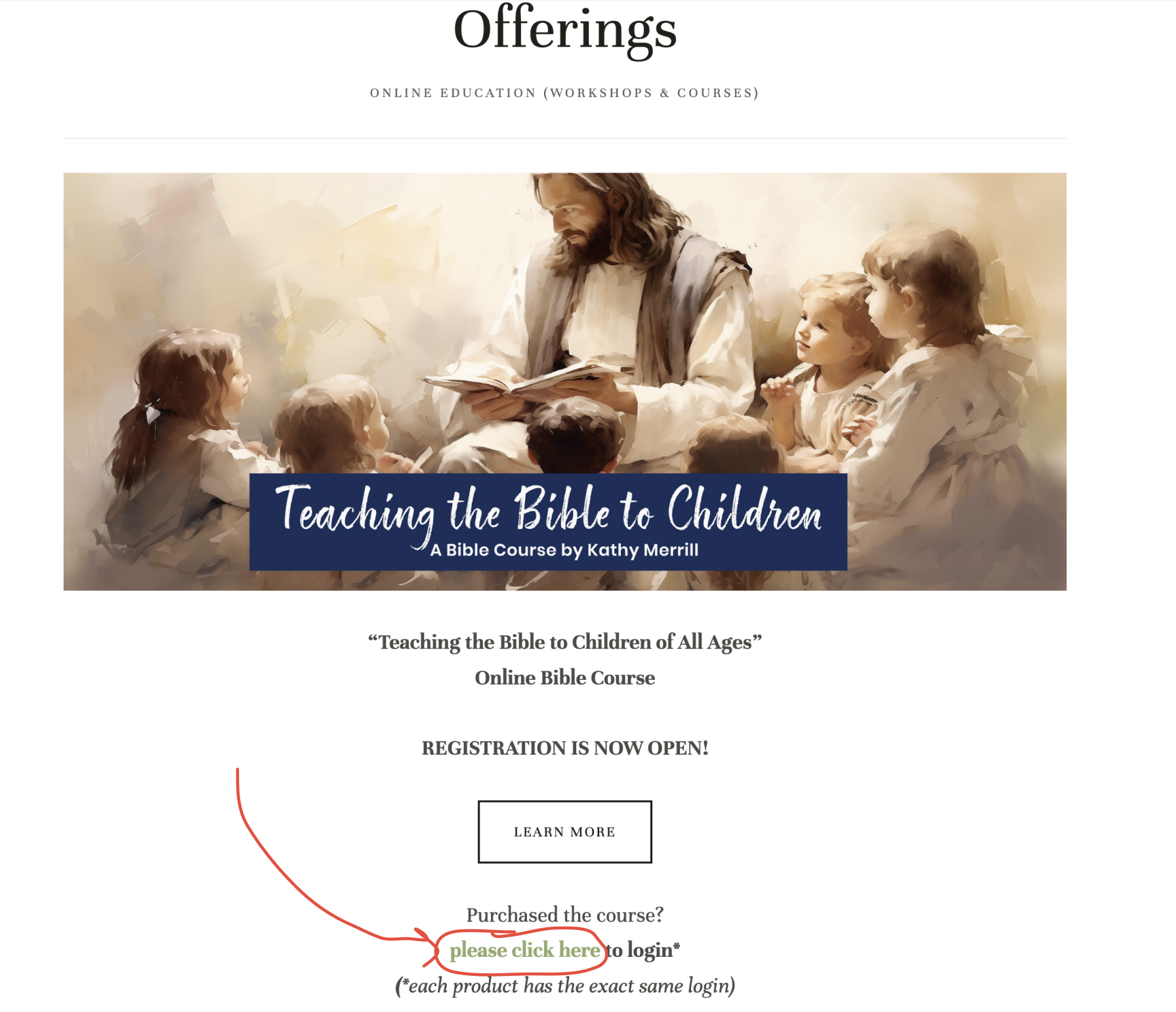
 1. You can always access the login page for our online courses &
workshop by going to the “Offerings” page in the menu bar.


2. Click on the “please click here to login” link (green)


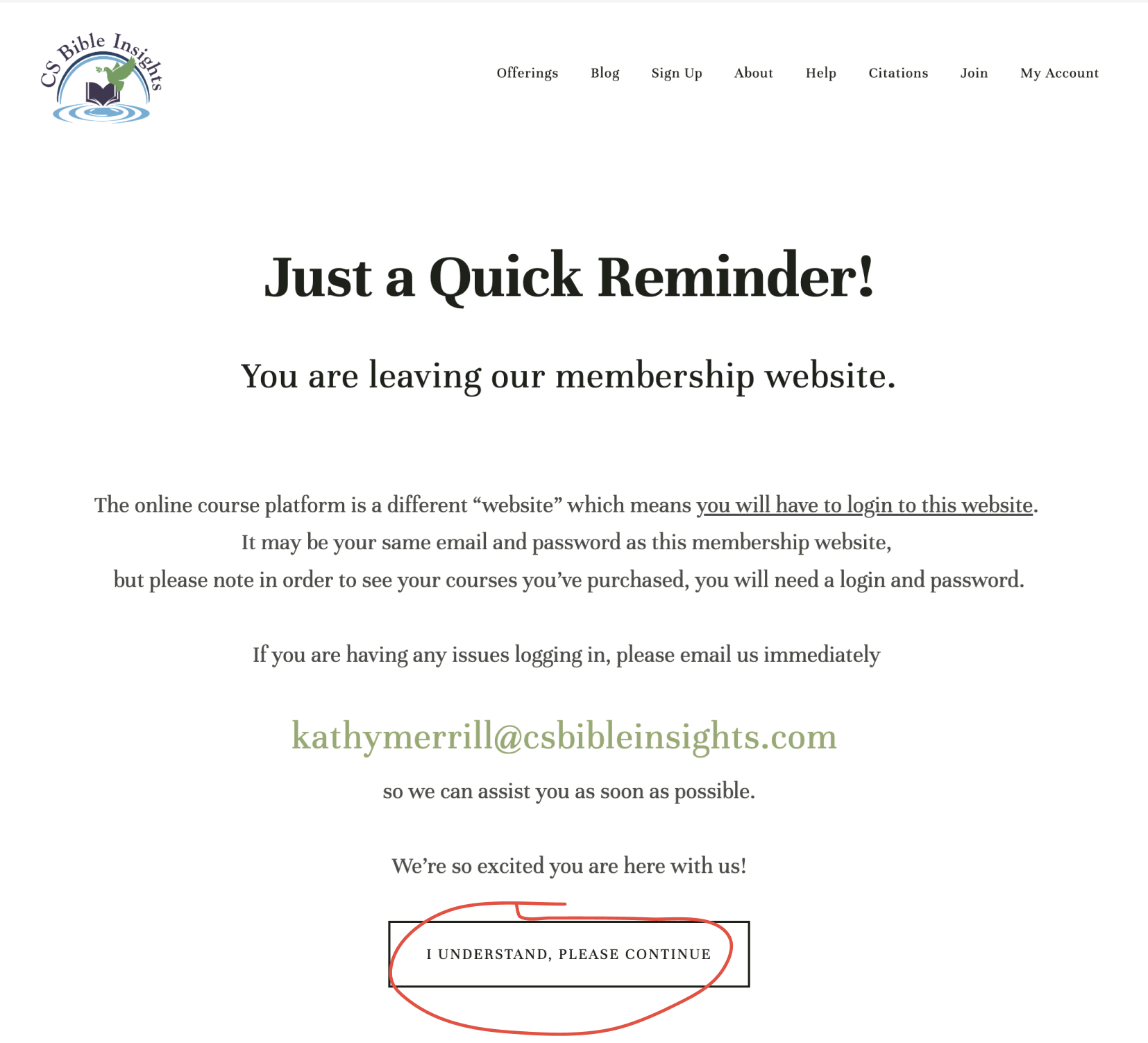
3. Click the “I Understand, please continue” button to continue. This reminder is just to let you know that our online course platform is different from our membership platform.
But it’s probably the same login information.


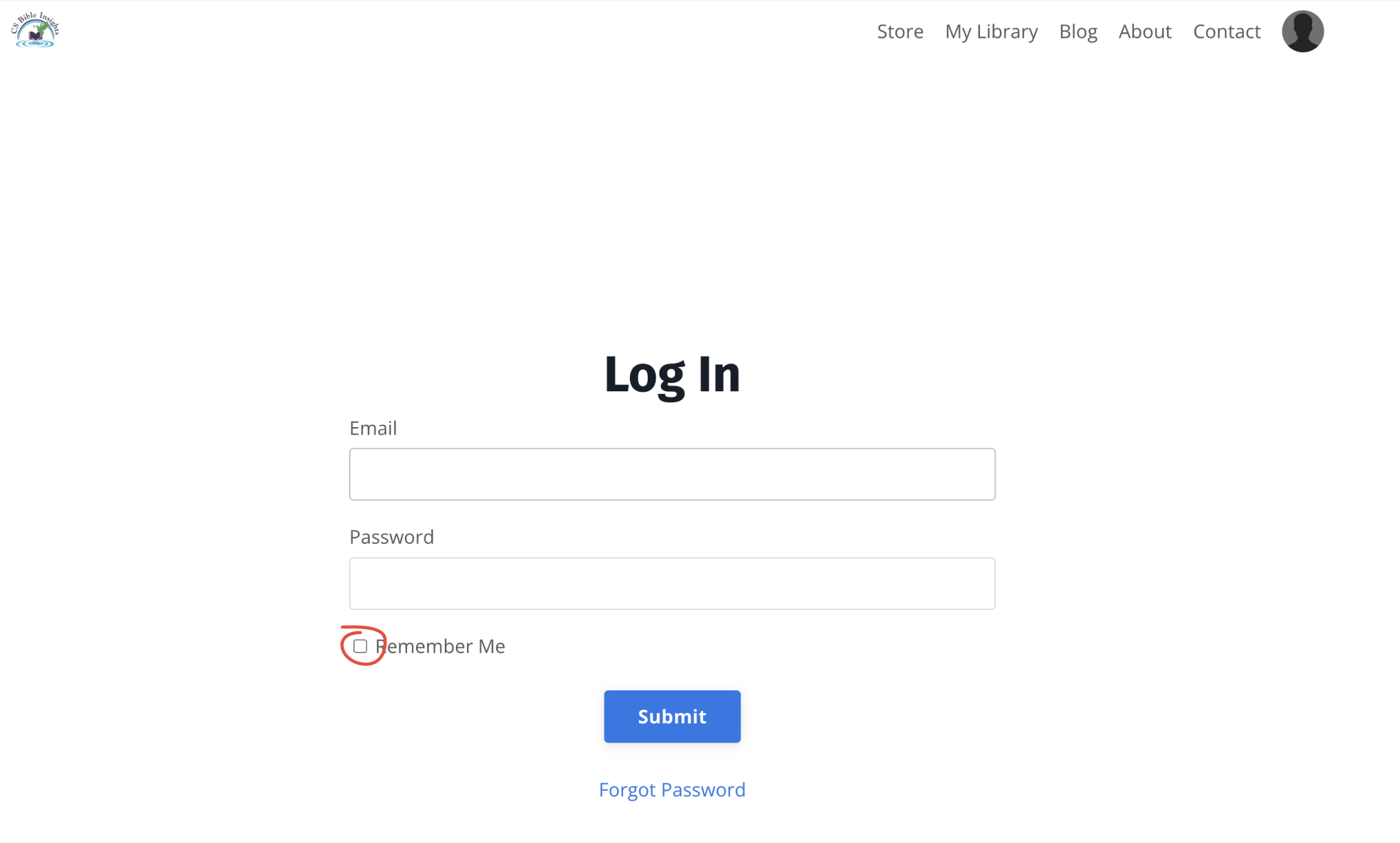
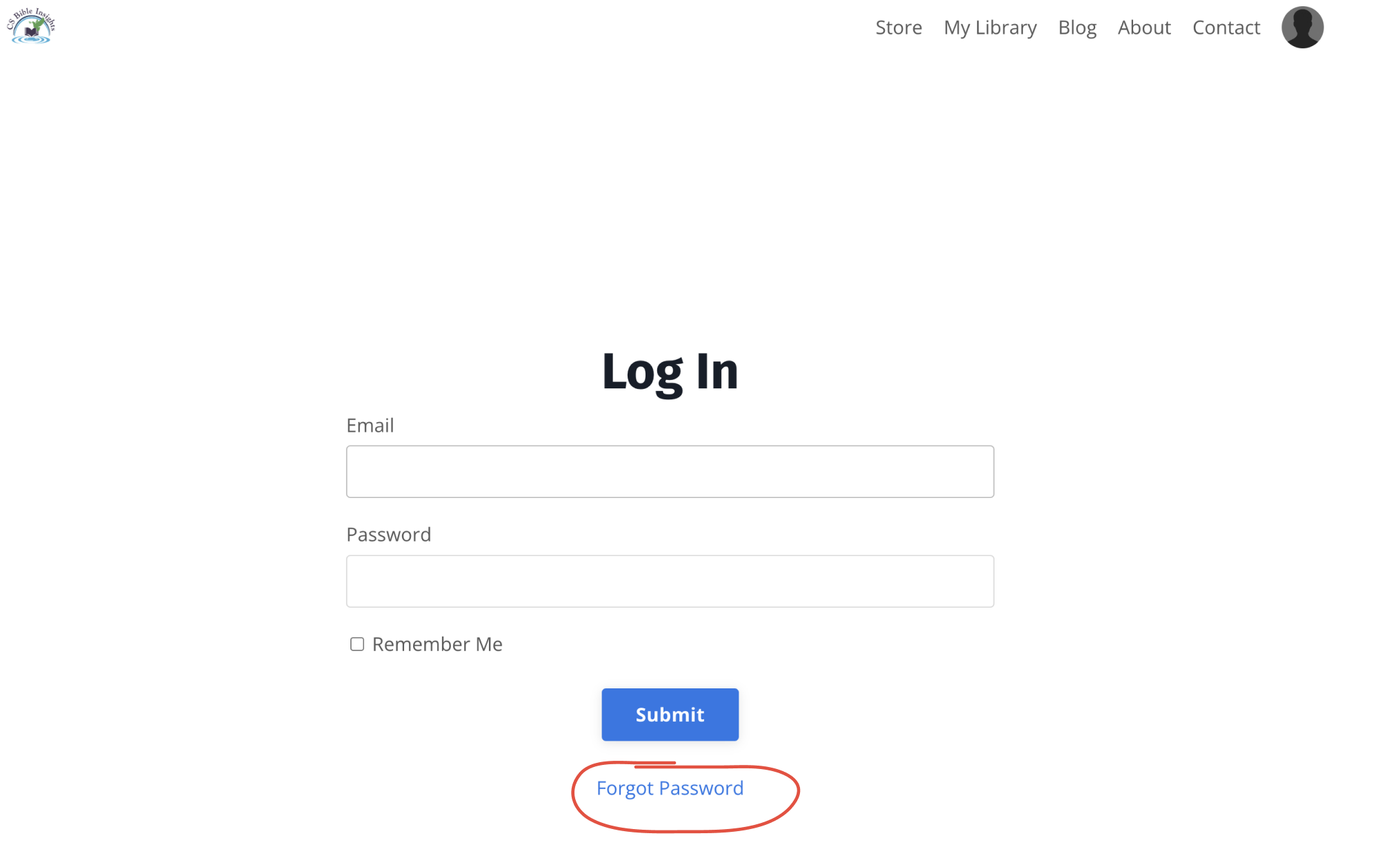
4. Enter your email & password
(You can click “Remember me” so that your browser
stores the information so you don’t have to remember)


5. If you have any trouble, you can click “Forgot Password”
& an email will be sent to change your password.
Any issues see instructions here.


Any other issues please email us at kathymerrill@csbibleinsights.com